Obsess AI · Store Designer

Ask for it. Watch your store change.

An AI designer that redesigns your pages, styles every product, fixes search and shoots photos and video, and shows you each change before it goes live.

Free to start · $0 a month · pay only for the AI work you use

Before and after · Shop Bezza

See every change before it's live.

Real pages from one store, then and now. Each change was built on a copy of the theme and shown on its own pages first.
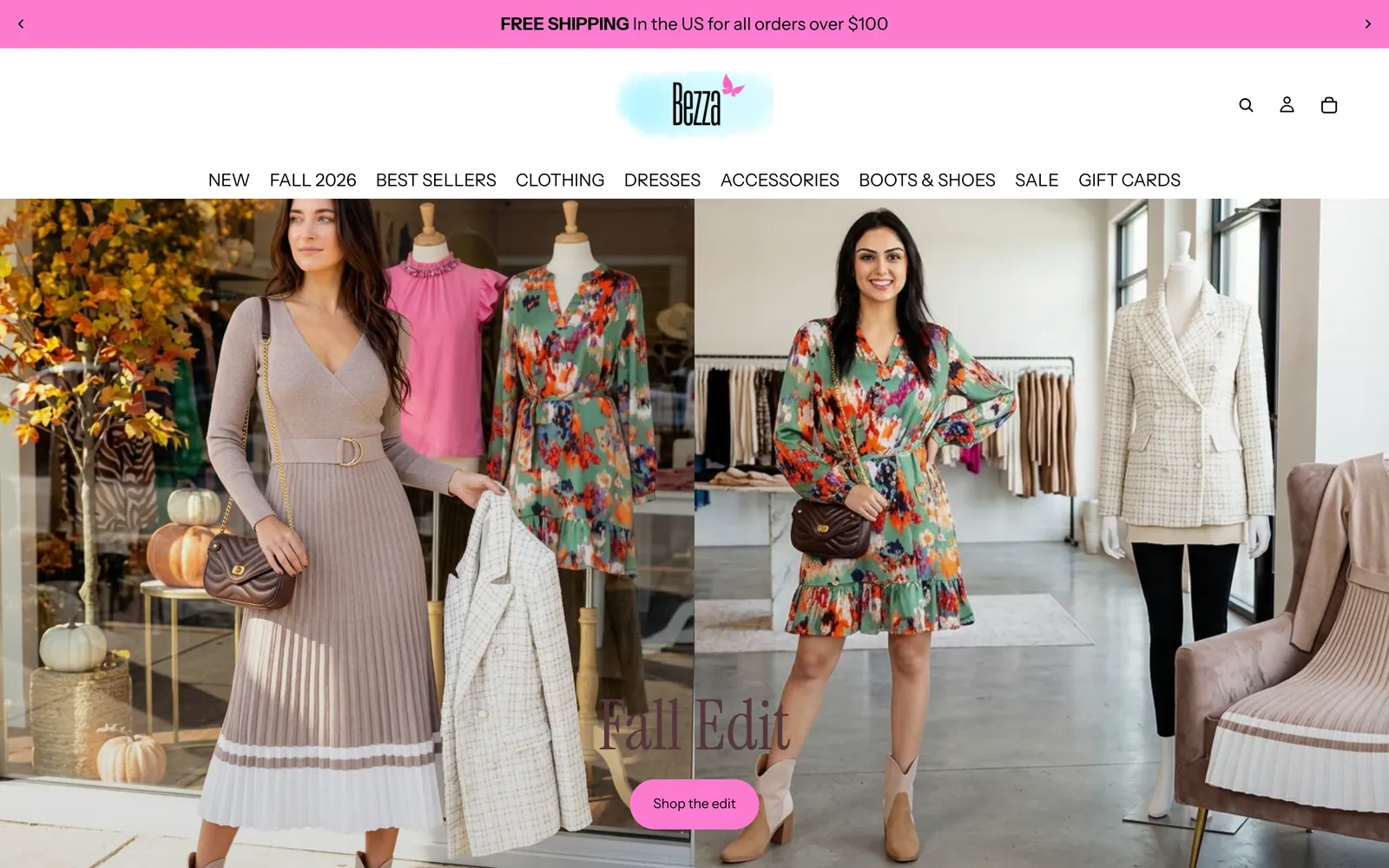
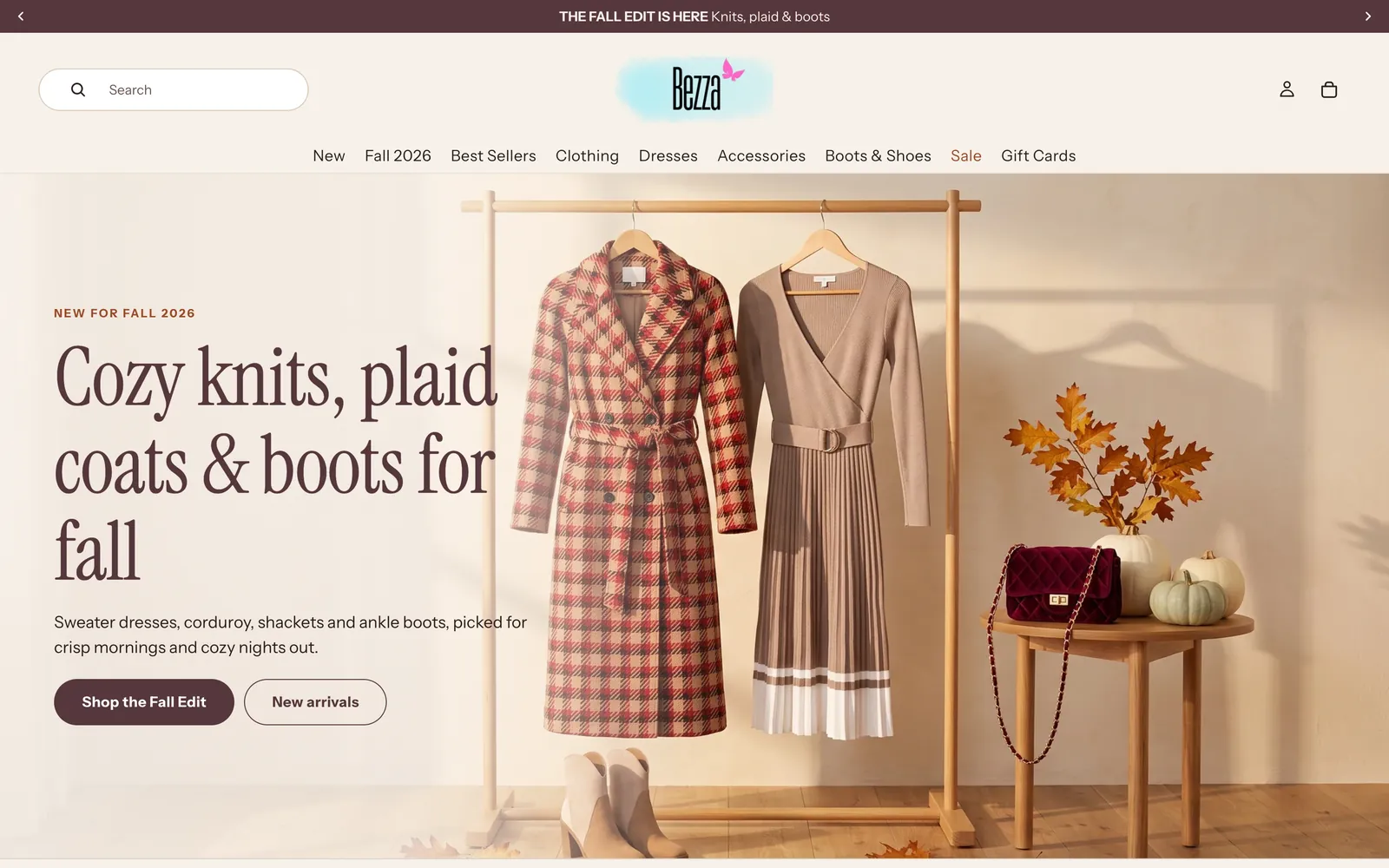
Home page

The Shop Bezza home page before the fall redesign: a photo collage under a pink bannerThe Shop Bezza home page after: a fall hero with knits, plaid coats and boots, and two buttons
A fall hero that says what is new, with a search bar in the header.

Collection

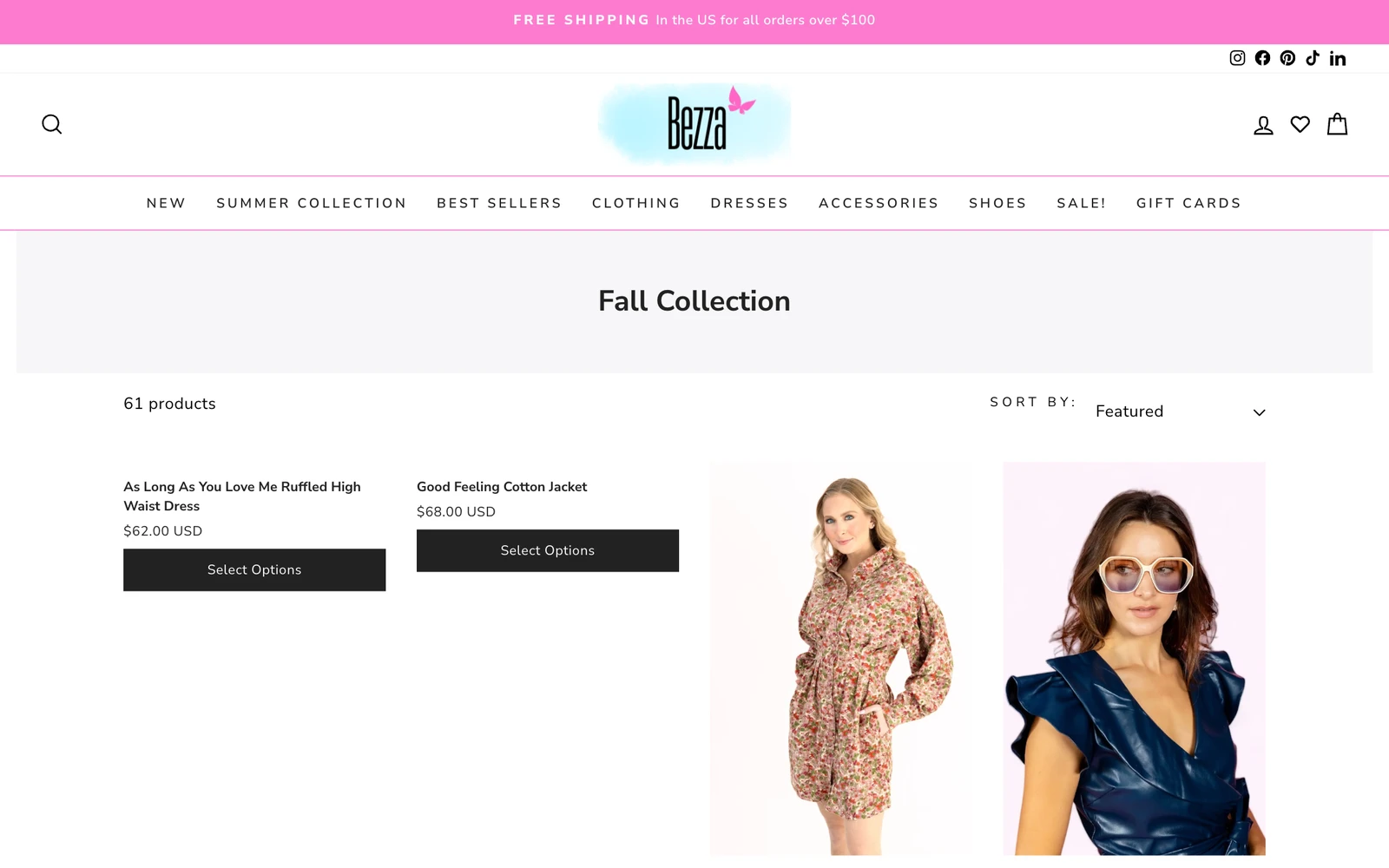
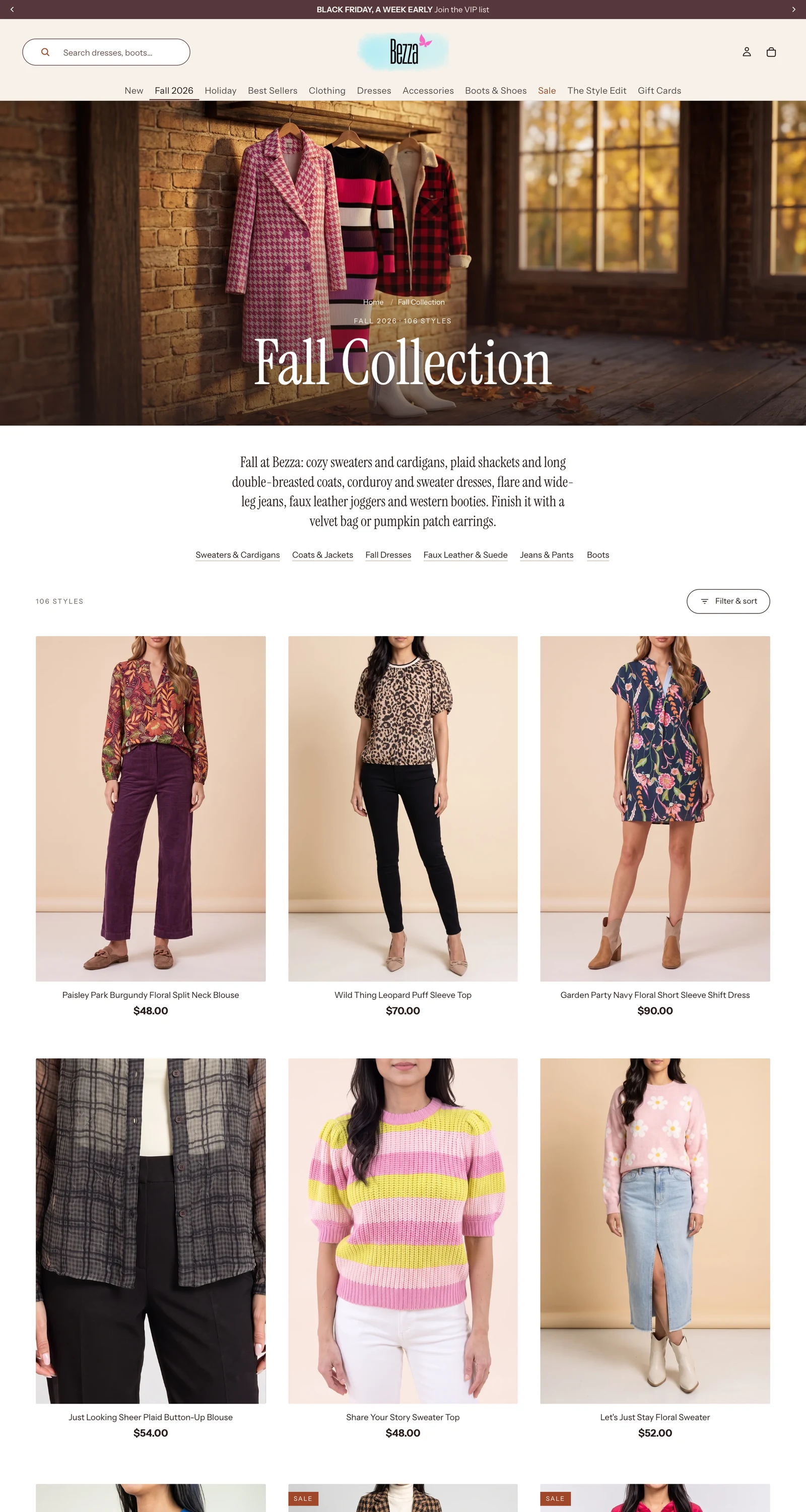
The Shop Bezza fall collection in October 2025: a grey title bar over the product gridThe same collection today: a fall photo hero with the collection name, then a short intro
A photo hero, a short fall intro and links to each style. Two photos in the 2025 capture were lost from the archive.

Product page

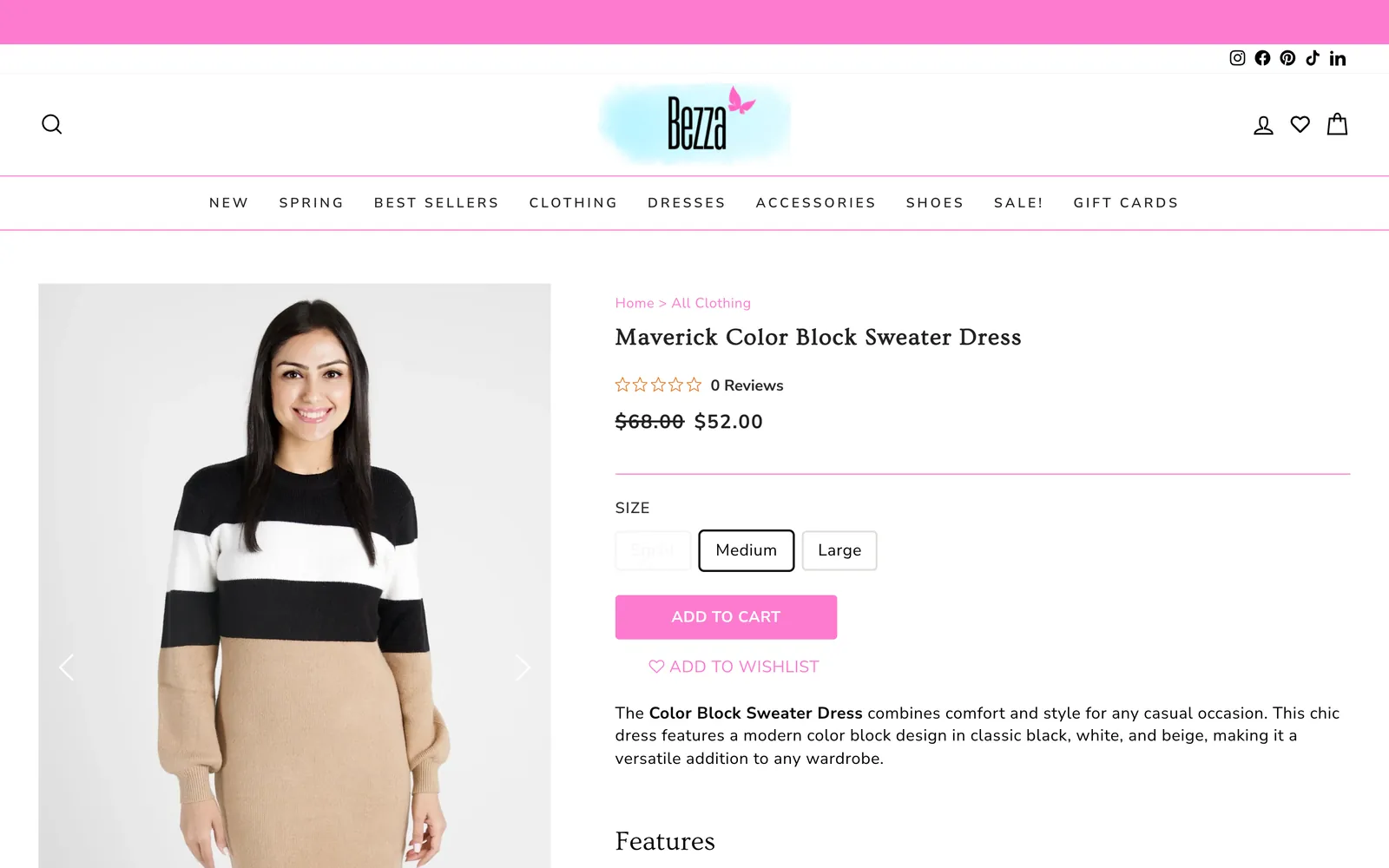
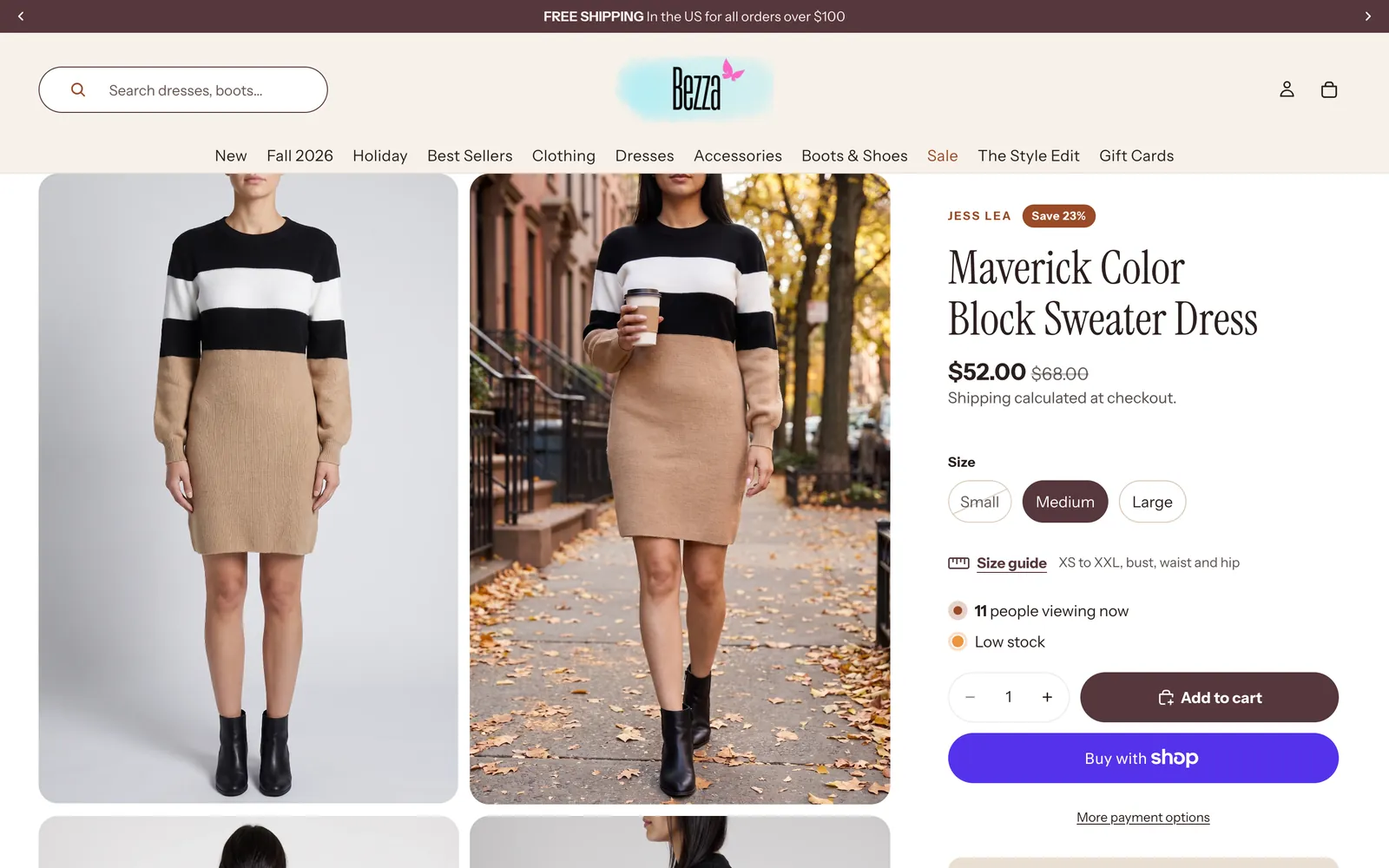
The Maverick Color Block Sweater Dress page in March 2025: one carousel photo and a plain add-to-cart buttonThe same product page today: studio and street photos side by side, sizes, a size guide, stock and Shop Pay
Studio and street photos side by side, sizes with a size guide, stock and Shop Pay.

Search

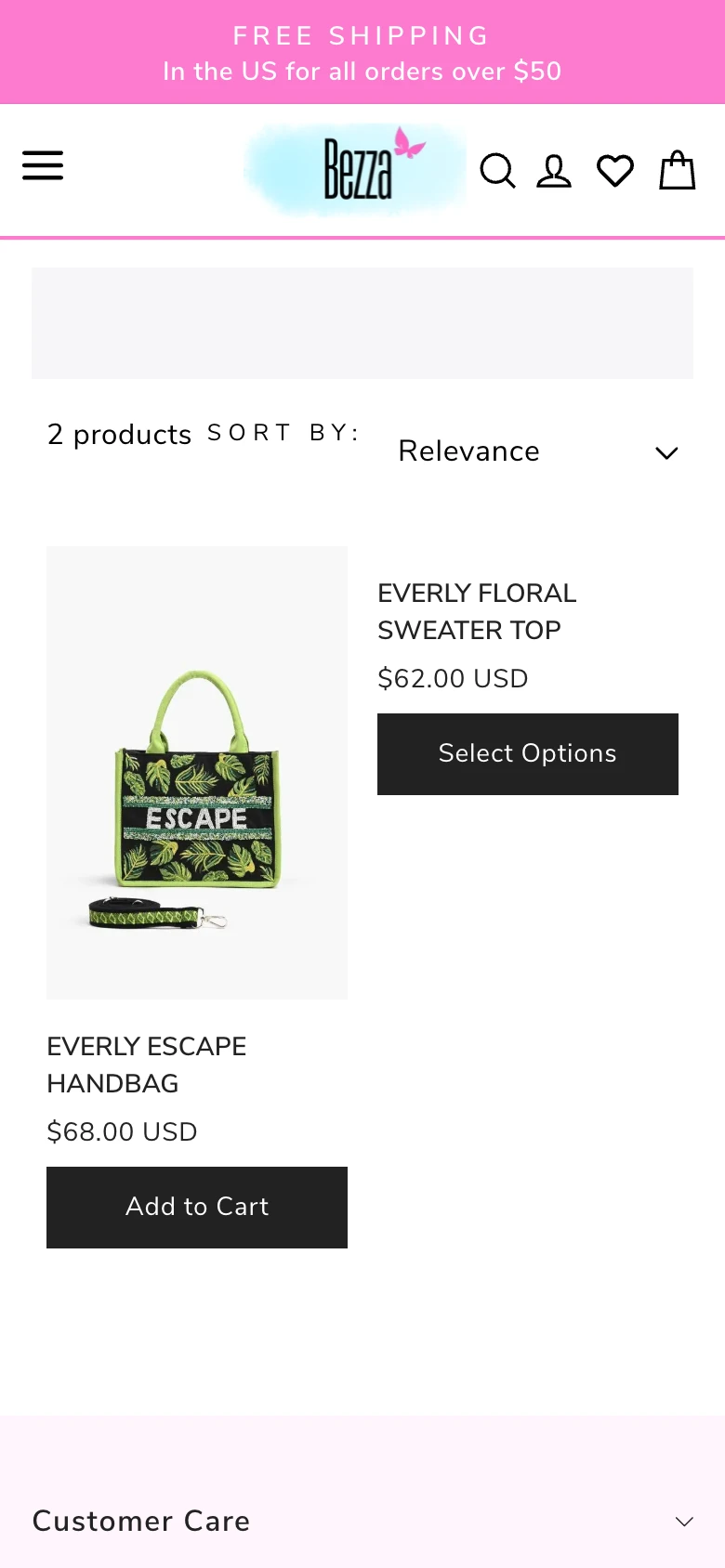
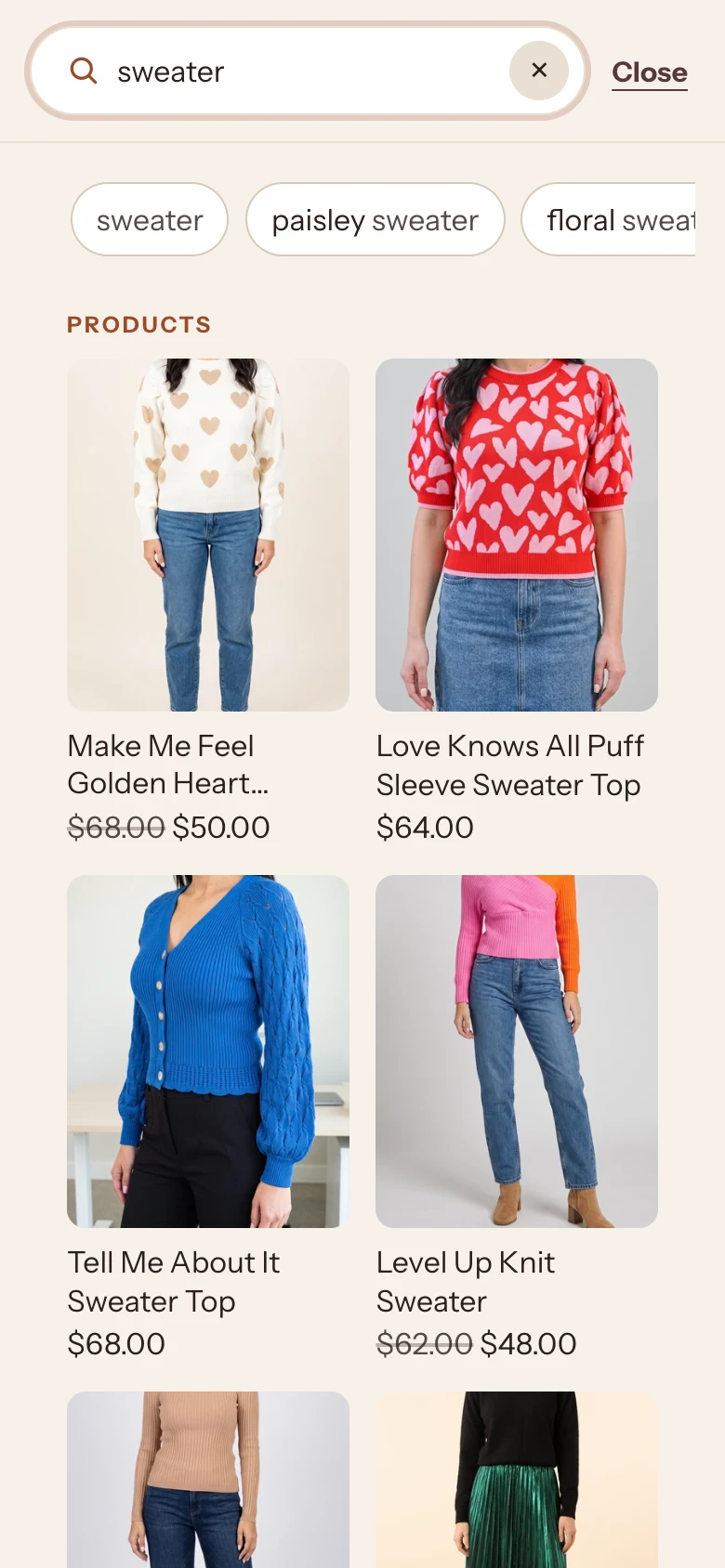
Shop Bezza search results on a phone in September 2024: two products under a sort menuShop Bezza search today on a phone, typing "sweater": suggested searches and sweater products with prices
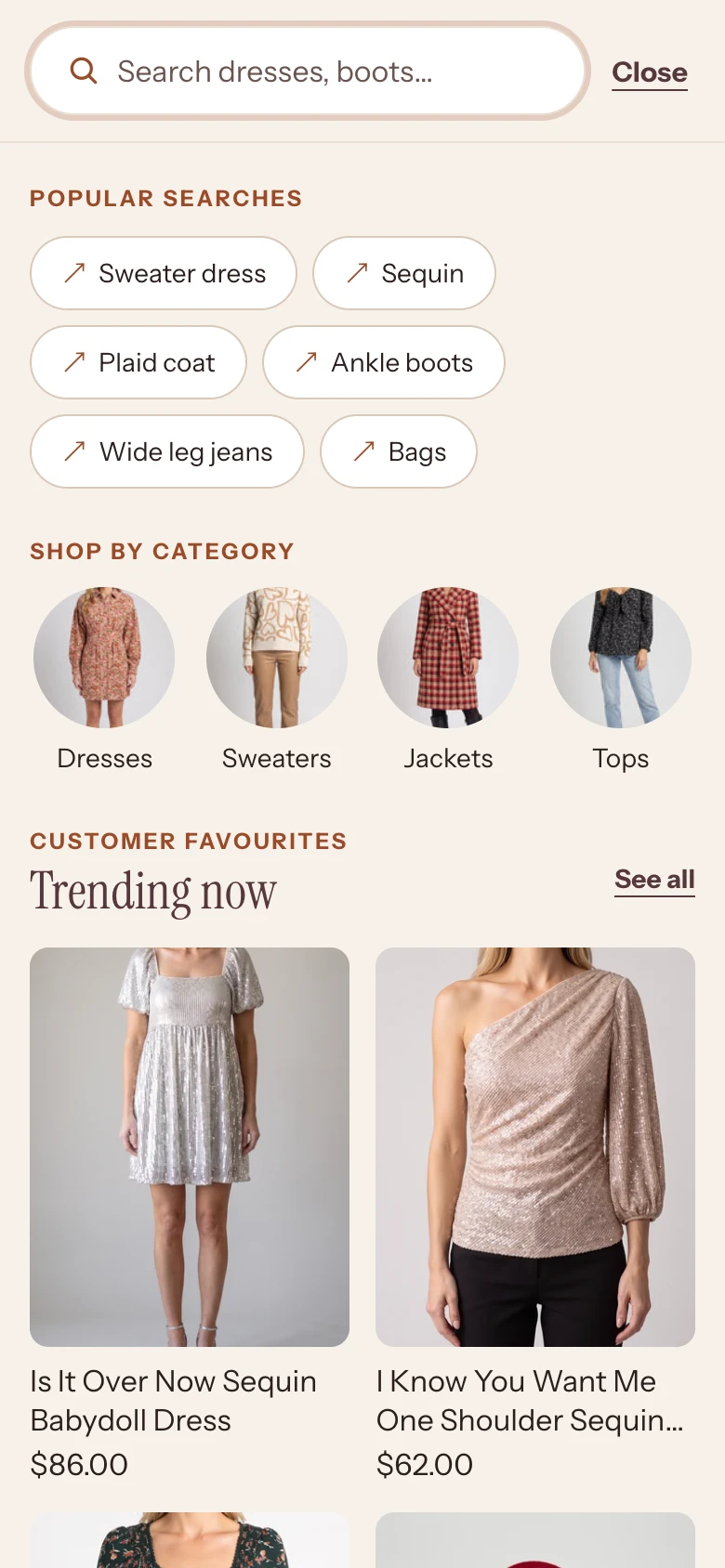
Shop Bezza search today, opened before typing: popular searches, categories and trending productsBefore you type
Popular searches and categories before you type, then products as you type.
Store Designer · workflows

28 jobs it already knows how to do.

Pick one, answer a question or two, and it plans the work and shows you what it will change before anything goes live.

Photos and video6 workflows

  • Shoot look photos for a collection
  • Complete the look
  • An ad set for the season
  • A new hero picture
  • A product video
  • Your own model

Products and collections5 workflows

  • Write product descriptions
  • Launch a collection
  • Collection copy and listings
  • Tidy tags and product fields
  • Clean up the menu

Pages and design6 workflows

  • Search listings for products
  • Keywords for a collection
  • Pages that should not be in Google

Store health3 workflows

Agencies and developers5 workflows

  • Client-ready audit
  • Your store's style guide
  • Check before you publish (custom app)
  • Build from a Figma frame
  • Open a pull request (custom app)
Your own workflows

Did it once? Save it.

Turn any task into a workflow and run it again with one press. It keeps what you asked and the answers you gave. Up to 20 per store; when you save one more, the oldest goes.

Saving needs a task with a request of your own in it.

  1. Run a taskAsk in your own words, as usual.
  2. Save as a workflowFrom the task's More menu, or type /save.
  3. Run it againIt's on the Yours shelf, ready to start.
Design boards

Three directions. You pick one.

Ask for a board and it draws the options on your own pages, in your type, colours and photos. Pick one and ask for changes before anything is built.
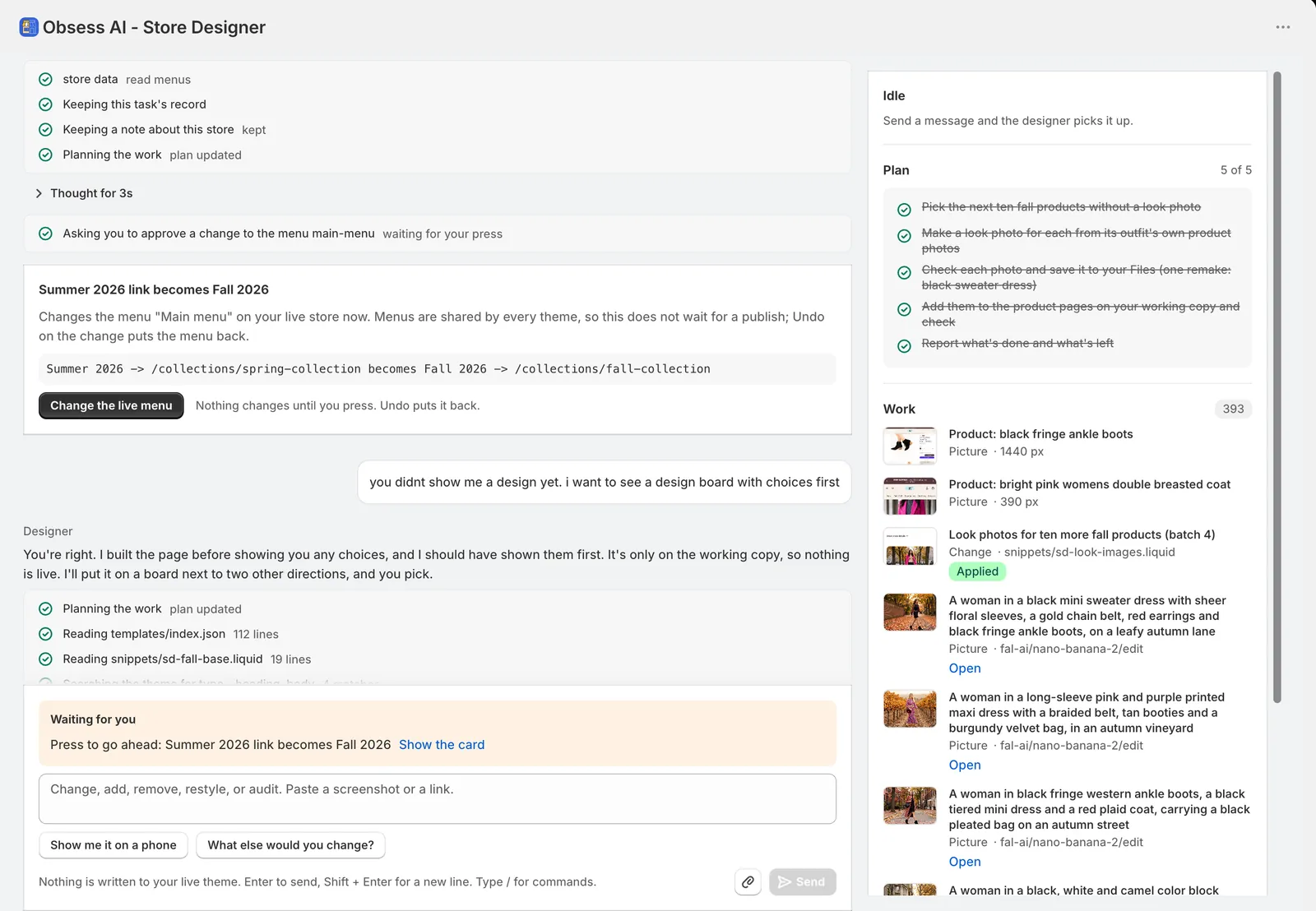
The Store Designer chat: the owner asks to see a design board with choices first, and the designer agrees to put its work beside two other directions
"I want to see a design board with choices first." It stopped and drew one.
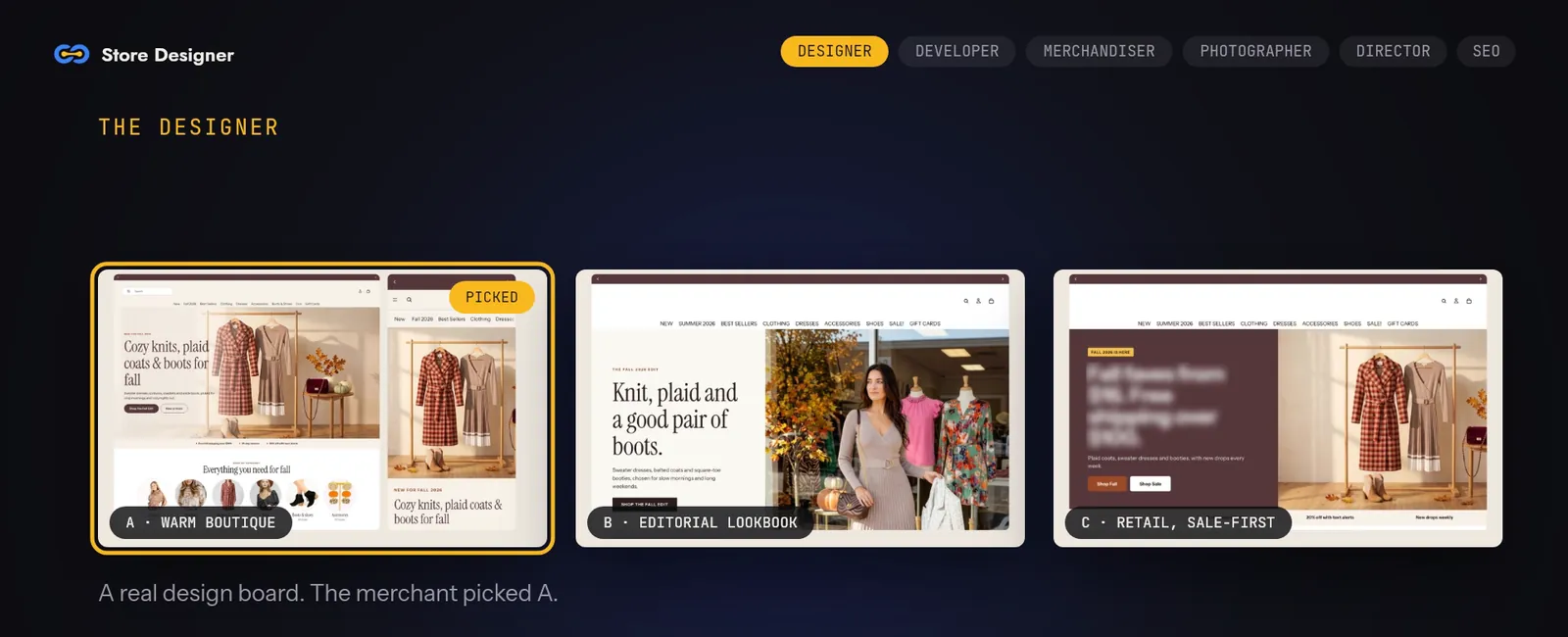
A design board with Bezza's fall home page drawn three ways: A warm boutique, B editorial lookbook, C retail sale-first. A is marked picked
Three directions for the fall home page. The owner picked A.
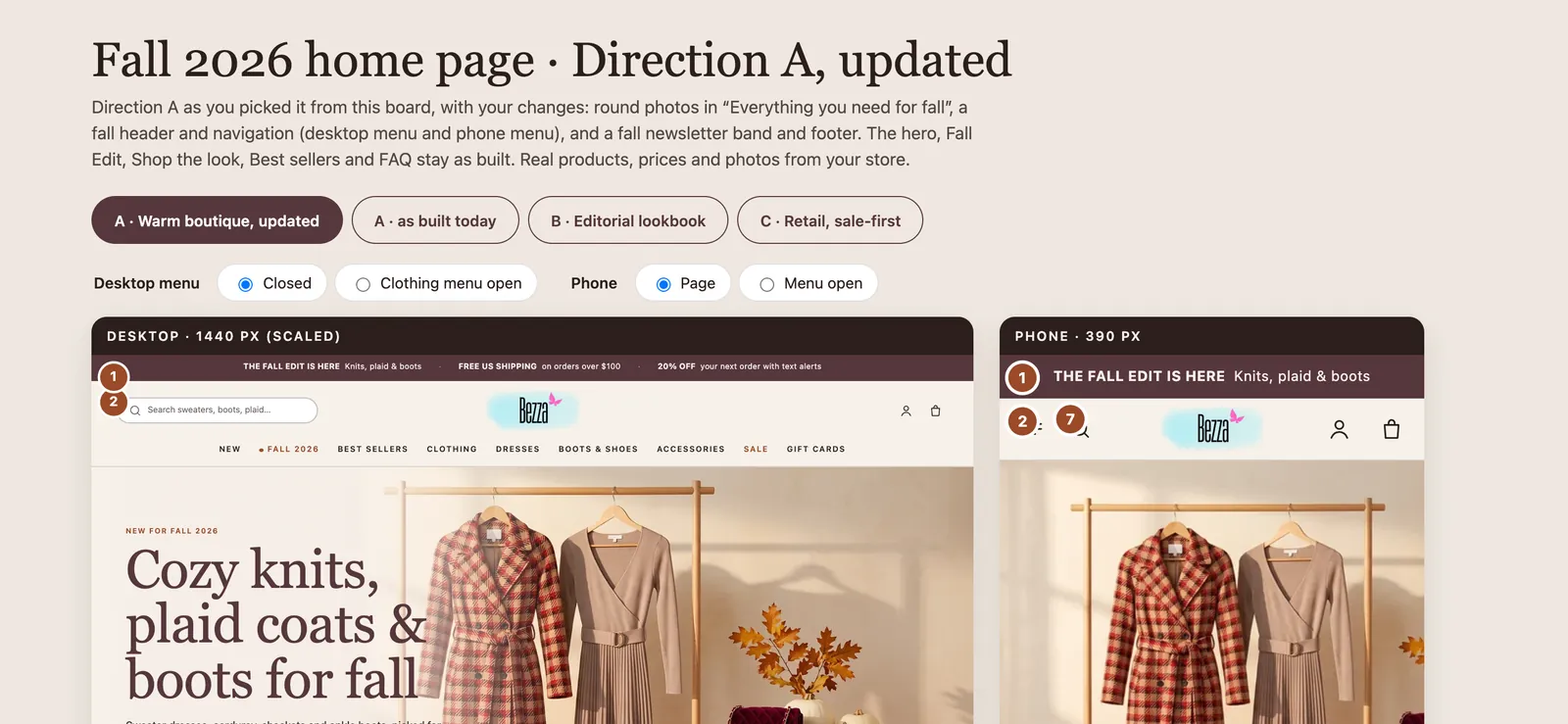
Bezza's fall 2026 home page, direction A updated with the owner's changes, at desktop and phone width
Direction A with the owner's changes, on desktop and phone.

Any kind of store.

The same board for an art and design shop: one home page, three directions, drawn in its own type and photos.
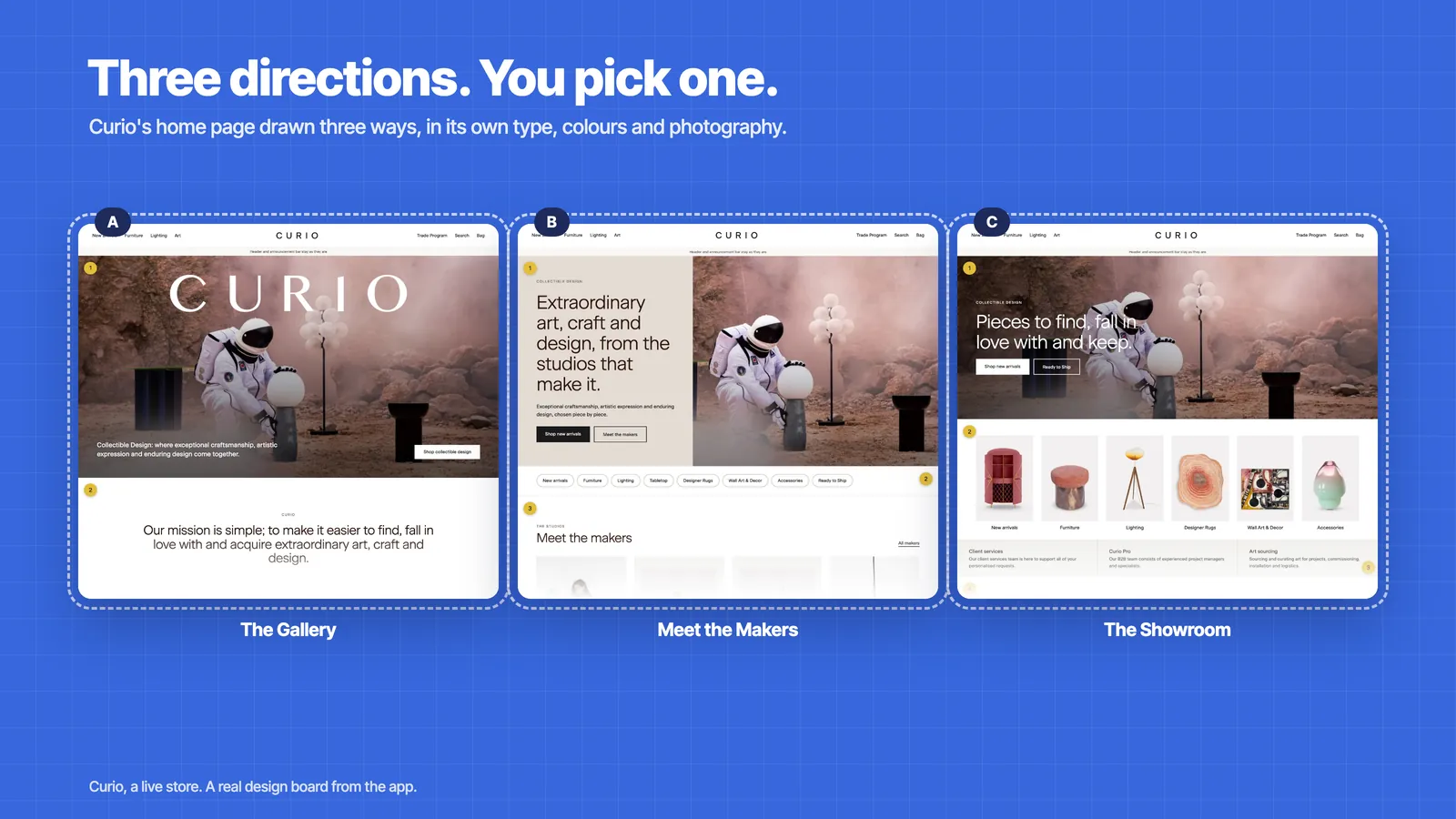
A design board: an art and design shop home page drawn three ways, directions A, B and C
How every change happens
  1. Ask
  2. Three directions
  3. Pick one
  4. Built on a copy
  5. Your OK
  6. Live
Complete the look

Shop the look on every product.

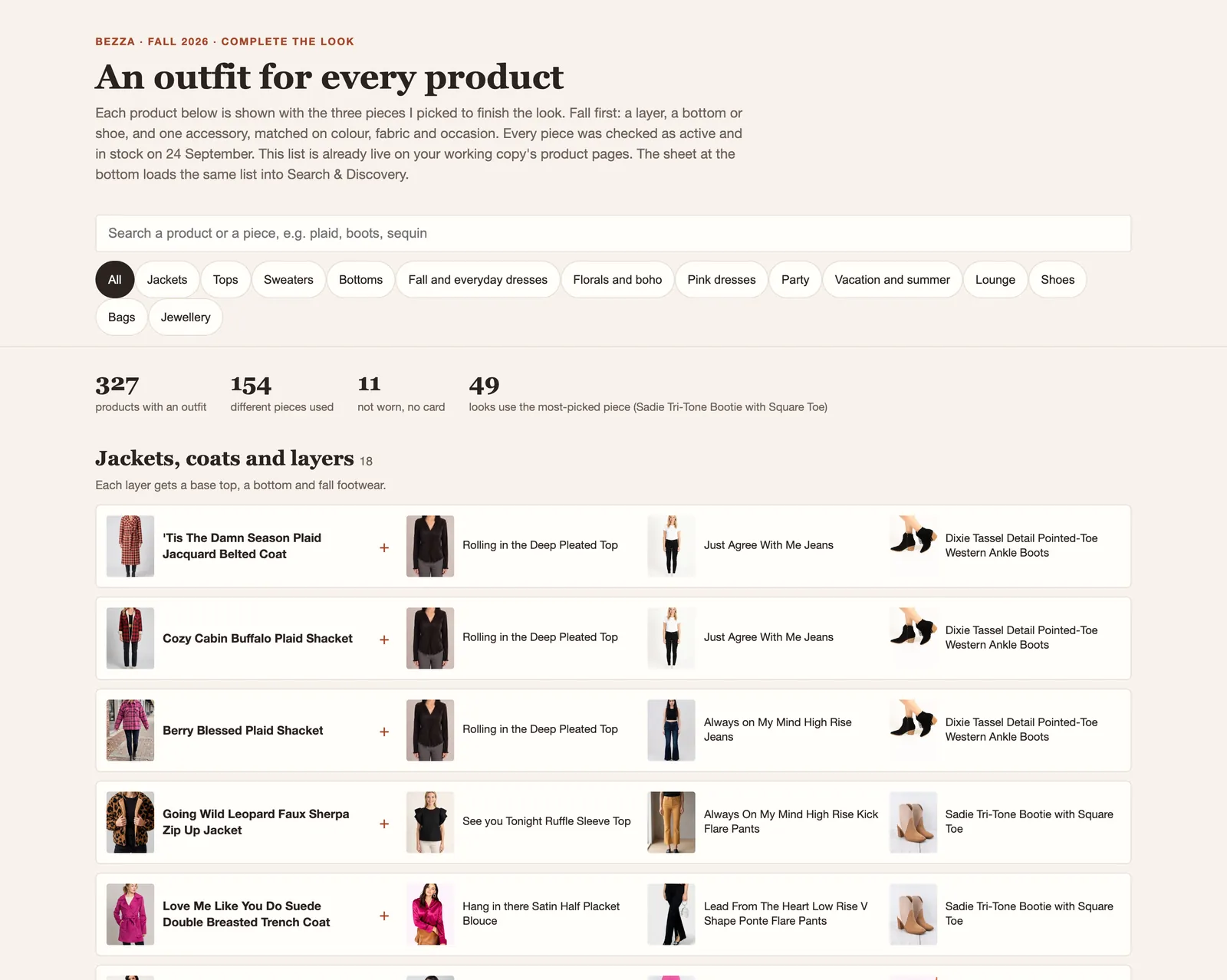
It picked three pieces for each of Bezza's 327 products, matched on colour, fabric and occasion, and built the look into the product page on a copy for the owner's OK.
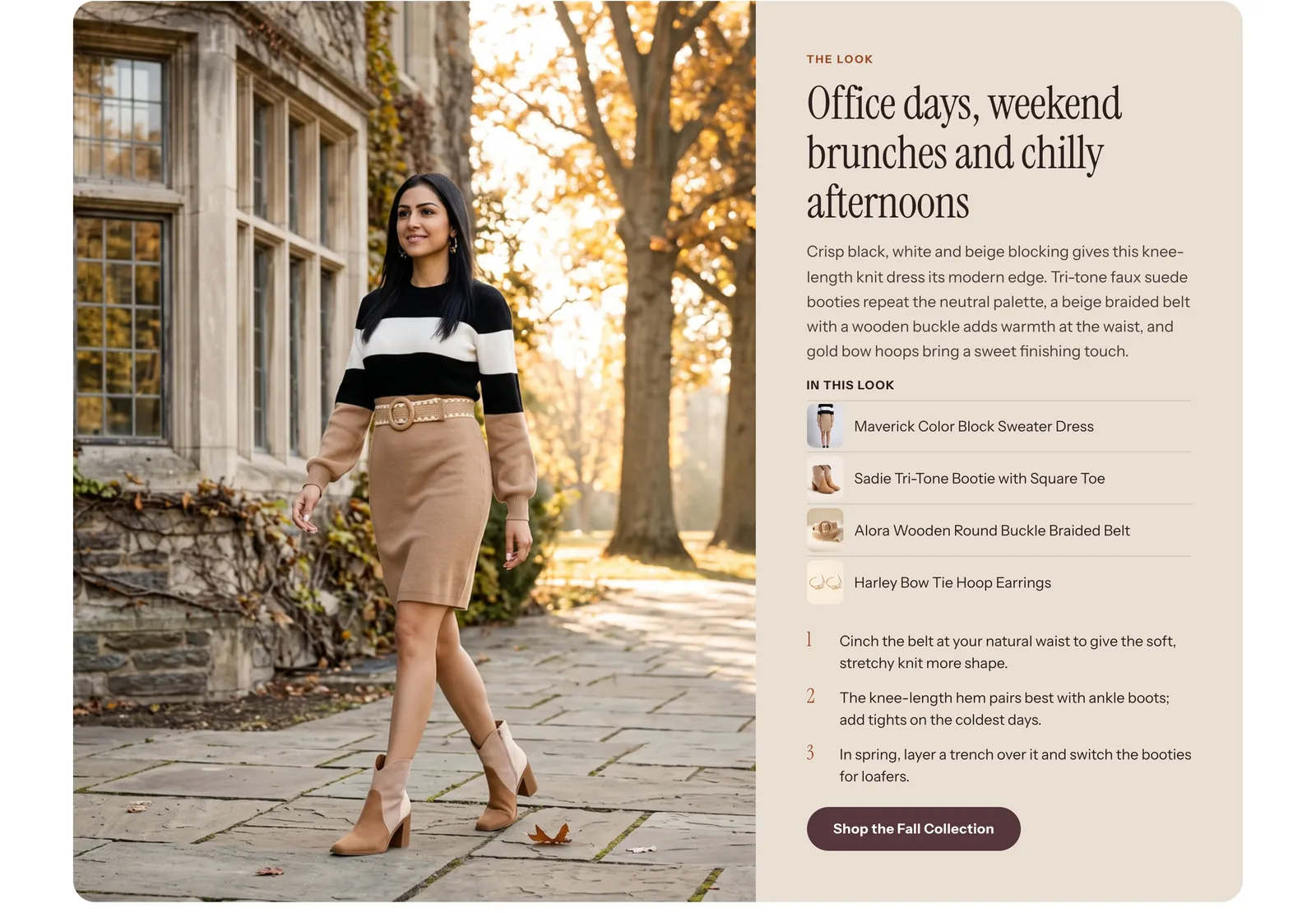
The look on the Maverick Color Block Sweater Dress: the dress with booties, a braided belt and hoop earrings, and three styling notes
The Maverick dress and three pieces, with styling notes
The board behind it: an outfit for every product, 327 products with an outfit
The board behind it: 327 products, each with an outfit
Photo shoots and video

The supplier's photos. A full studio shoot.

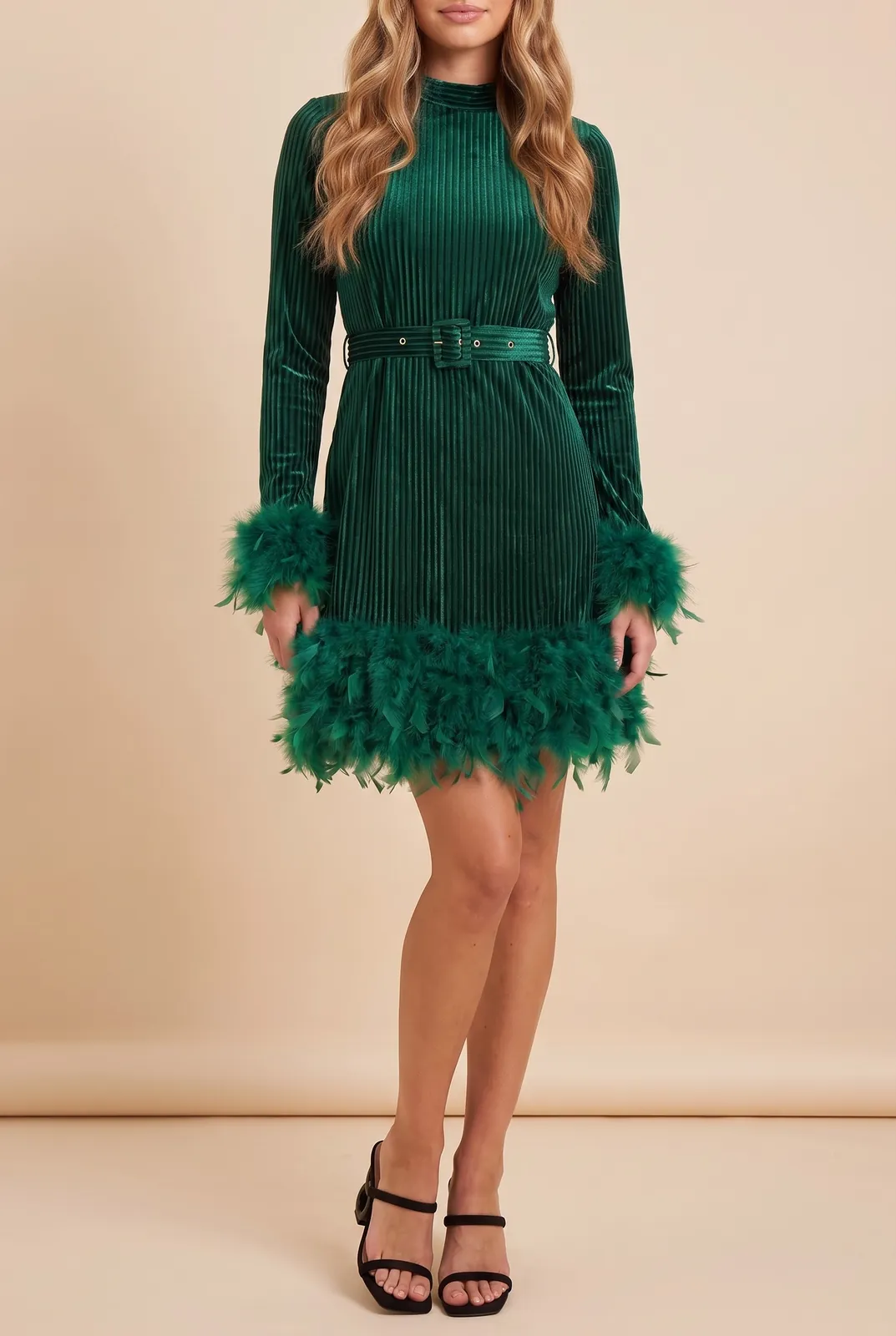
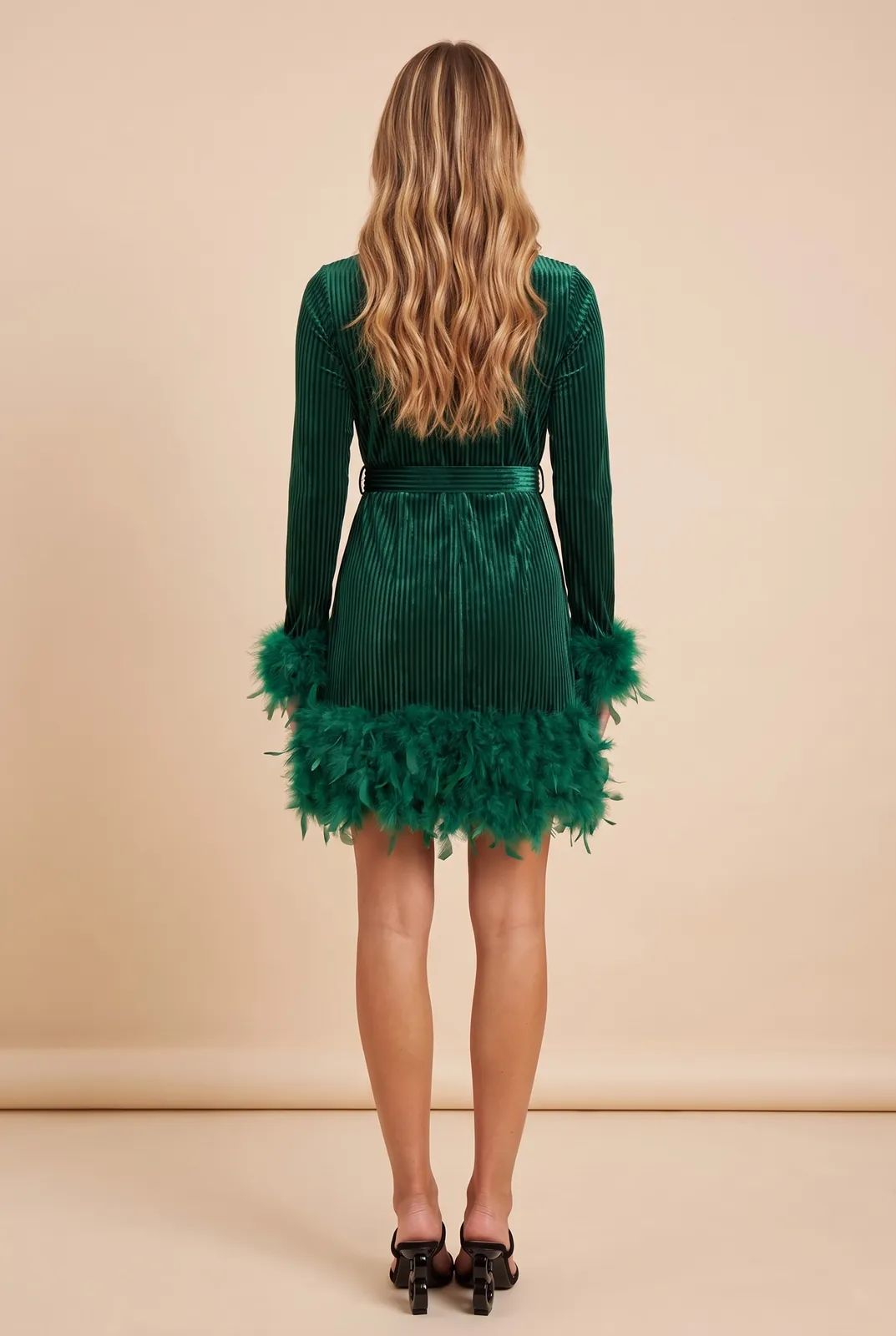
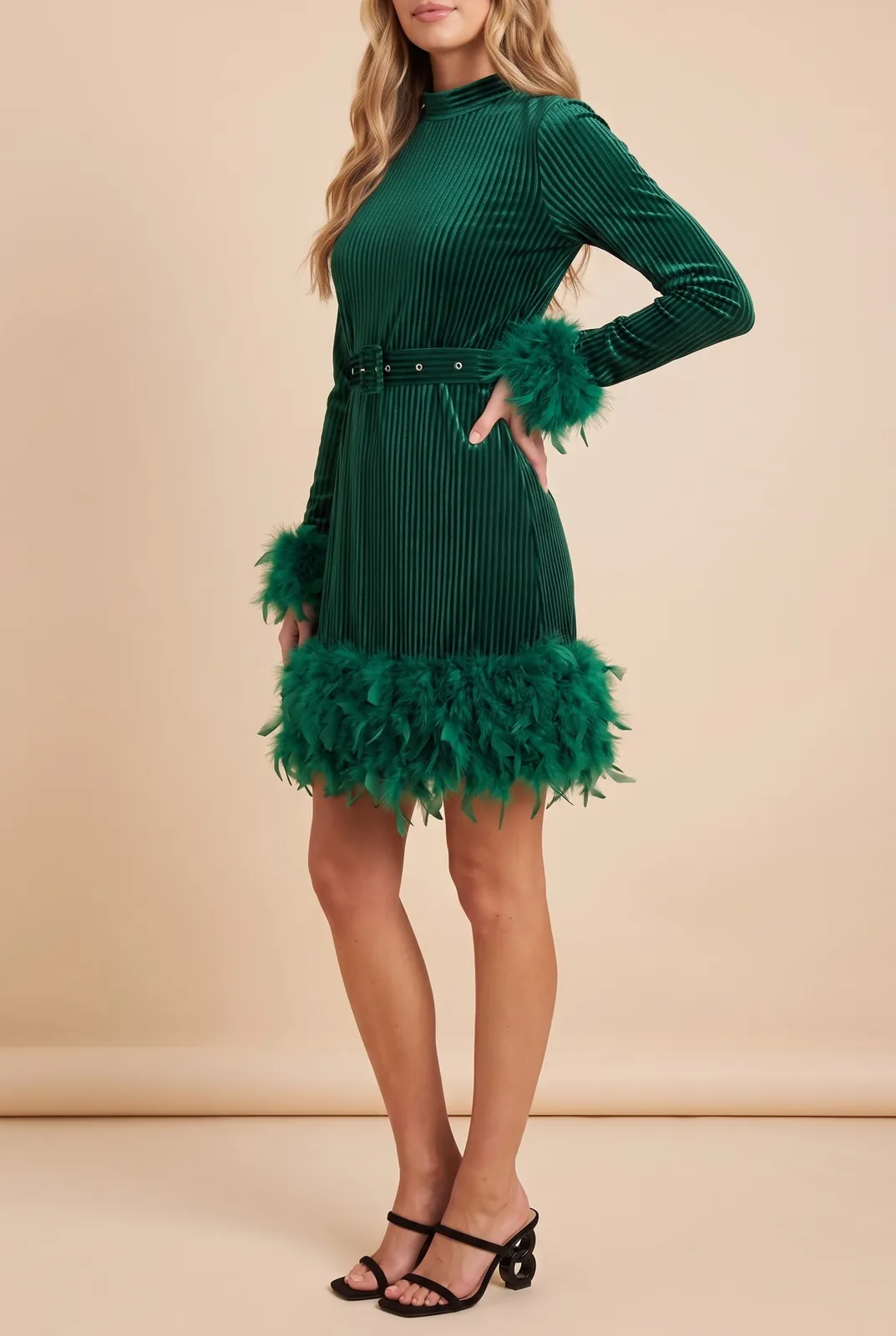
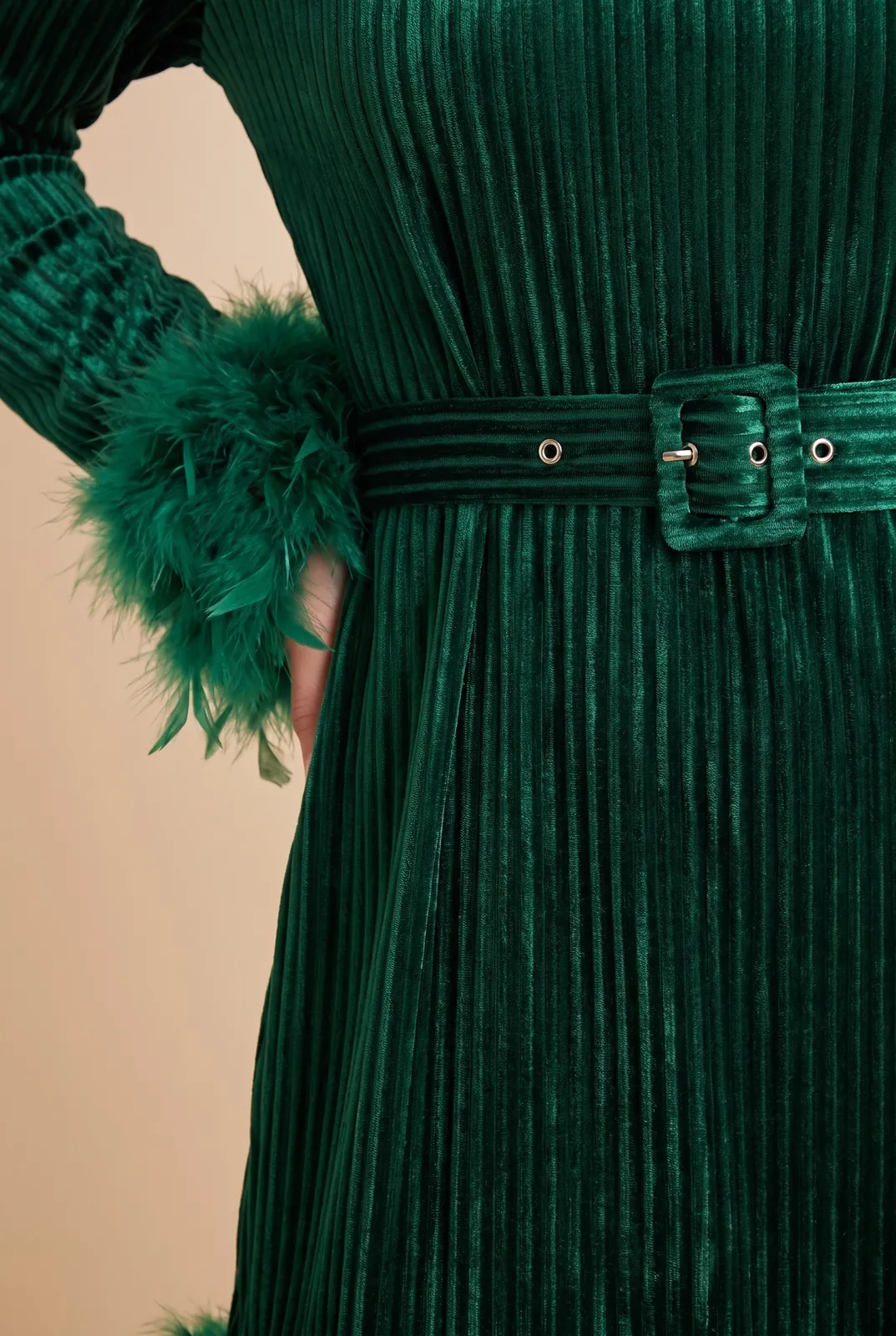
From the product photos your supplier sent, it shoots studio views, a close detail and a styled party scene. Send every angle you have: each view needs a photo of that side.
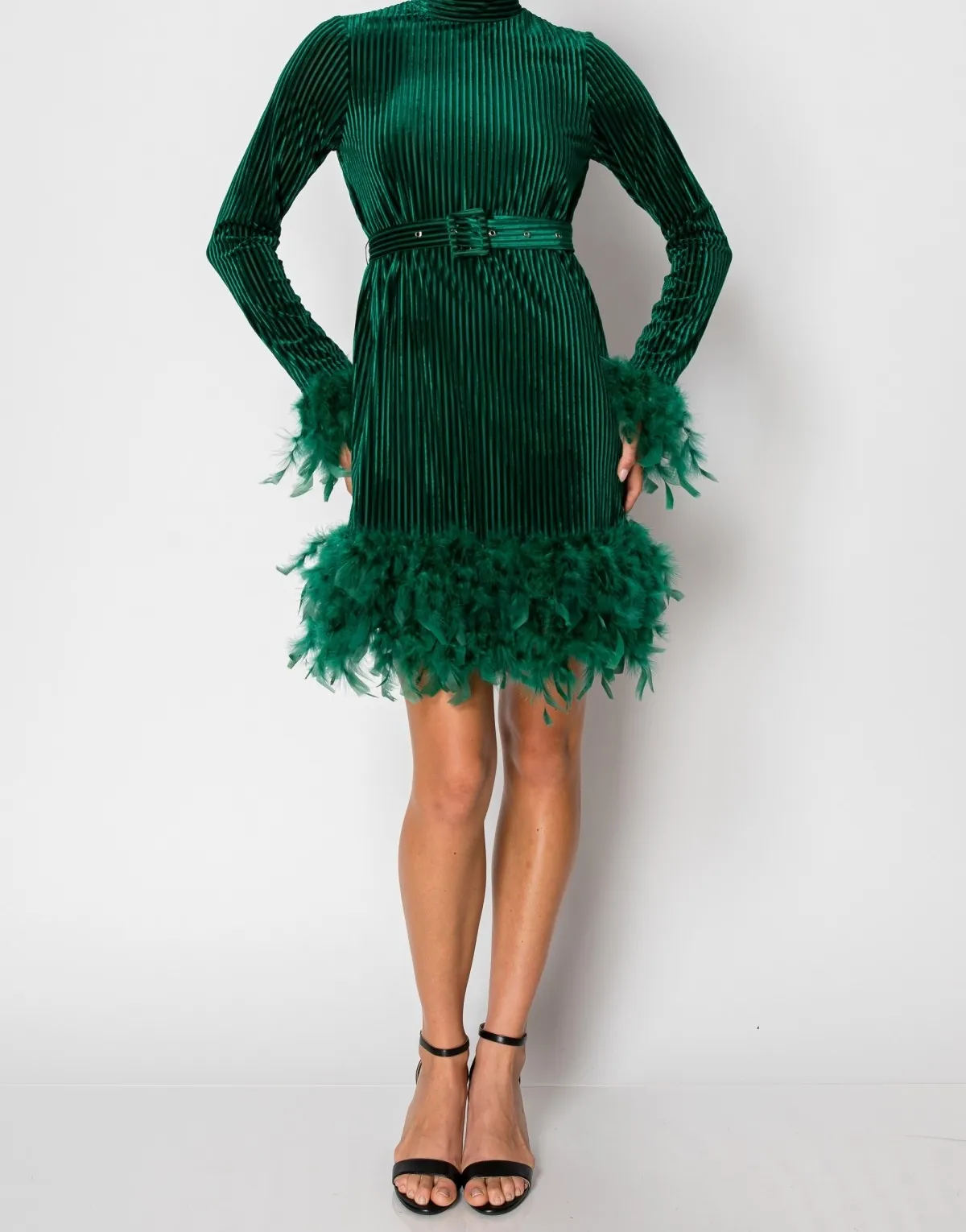
  1. One of the supplier's photos: a green velvet dress with feather trim on a white backgroundFrom the supplier
  2. The dress in a studio shot, from the front01 Front
  3. The dress in a studio shot, from the back02 Back
  4. The dress in a studio shot, from the side03 Side
  5. A close detail of the velvet ribs, belt buckle and feather cuff04 Detail
  6. The dress at a party, beside a gold Christmas tree and city lights05 Party scene
Video

Then the photos start to move.

A short clip from the party scene, ready for the product page or a post.

Insights

Finds what's broken. Fixes it with your OK.

It checks your pages on a phone and a desktop and lists what is broken, worst first, each one a measurement with its screenshot. Choose the findings and it fixes them one at a time, asking before each change.
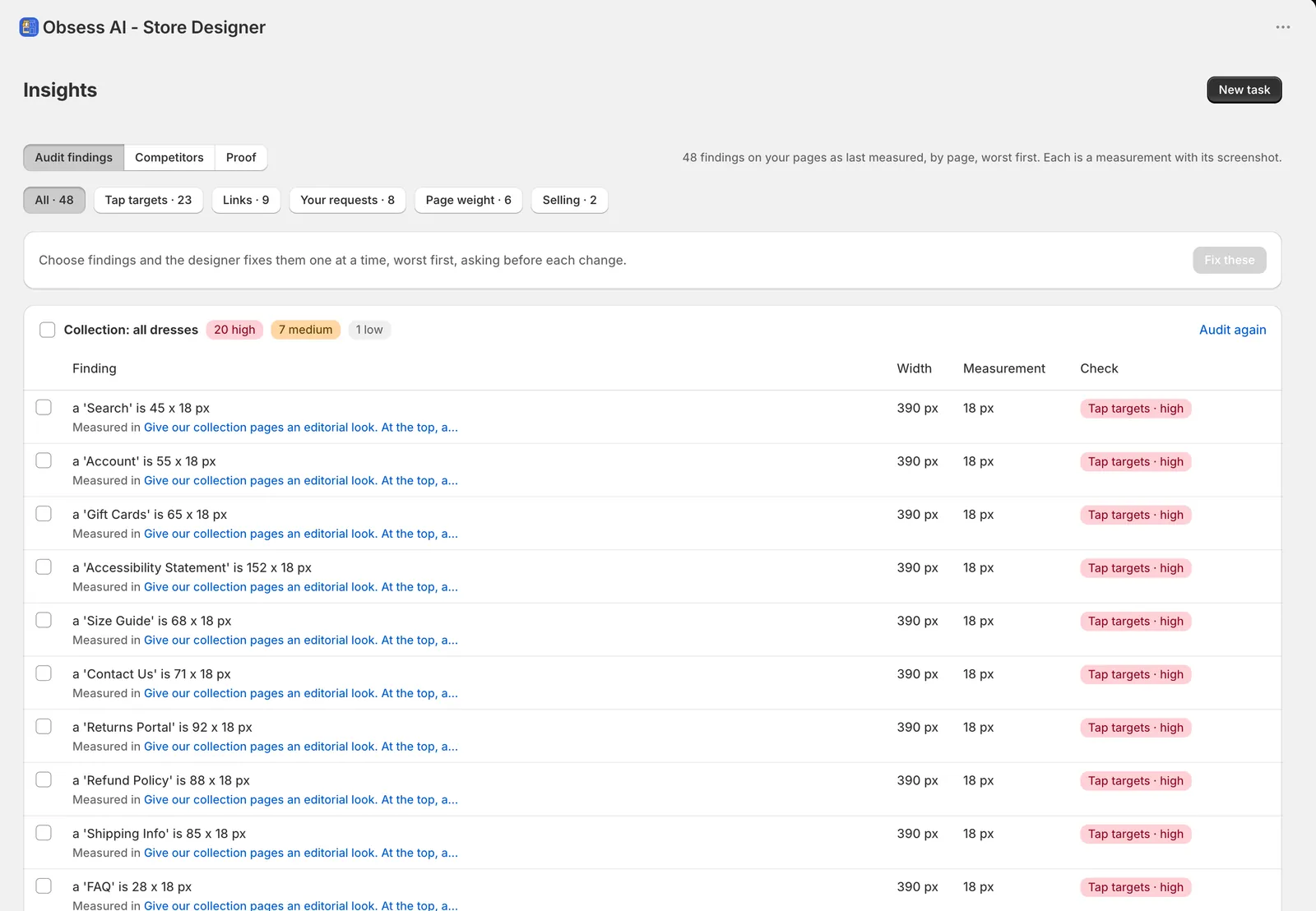
Store Designer Insights: 48 audit findings on a collection page, each a measurement at 390 px wide
Insights: every finding is a measurement on your own page
How to install

Three steps to your first change.

  1. Install from the App Store

    Free. Store Designer’s first look, your home page redesigned on your own page, and your first few requests are free.

  2. Ask for your first change

    Type what you want changed. It plans the work and shows you what it will do.

  3. Approve and add it

    Look at it on your own pages, then add it. Saving designs needs Pay as you go: $0 a month, and you pay only for the AI work you use.

Pricing

Start free. Pay as you go.

Free start$0A free first look and your first few requests · your home page redesigned on your own page, and a preview of every changeNo plan needed. Saving anything to your store needs Pay as you goInstall free →
Pay as you go$0/moNo monthly fee and no seat fees · the one plan: saves designs and store changes. You pay only for the AI work you useEvery card in the app shows its price before you press. Billed on your Shopify billInstall free →
EnterpriseCustomA version built for your shop · we demo it on your store, then publish a custom app just for youTalk to us →

How Store Designer bills for AI work: Pricing details

Enterprise

Enterprise: a version built for your shop

For larger stores we demo Store Designer on your own store, then build and publish a custom version just for you.
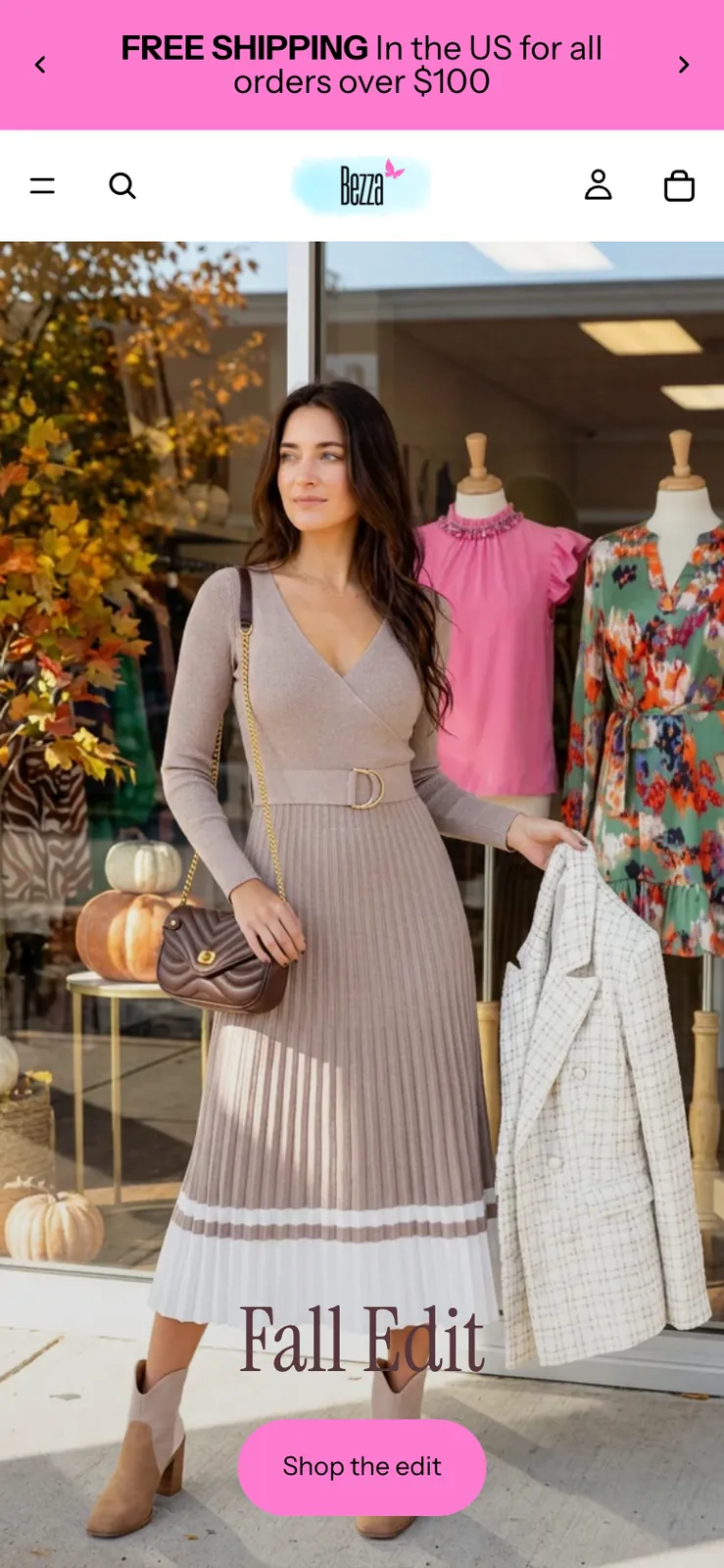
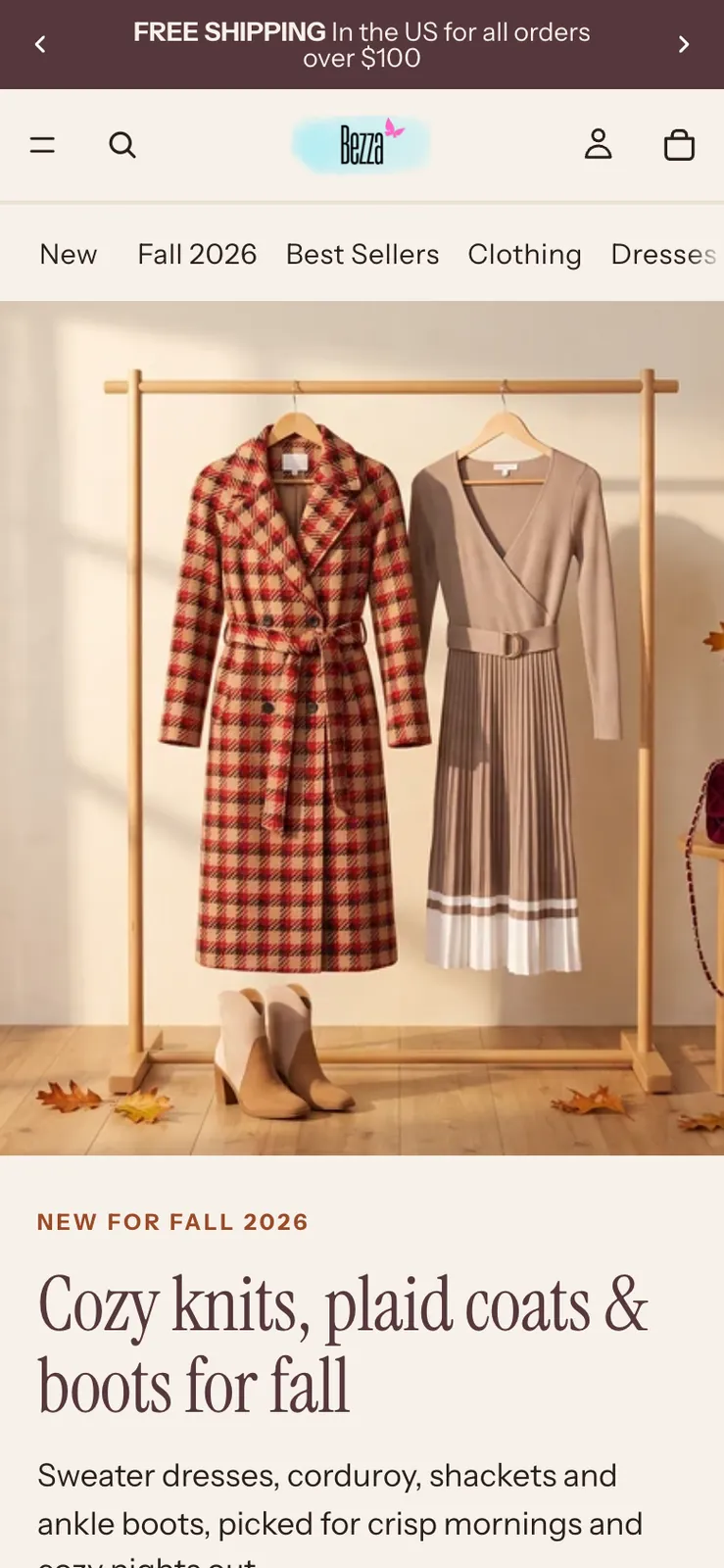
The Shop Bezza home page on a phone, beforeThe Shop Bezza home page on a phone, after the redesign
Shop Bezza on a phone, before and after
Questions

About Store Designer.

Will it change my live store without asking?
No. Every change is built on a copy and waits for your OK, and designs go on as app blocks you place, with one-press undo.
What can I ask it to change?
Your home page, collection pages, product pages and search, menus and product details, plus a look for every product. Ask in your own words; it shows you the change on your own pages first.
Does it make product photos and video?
Yes. From your supplier's product photos it shoots studio views, a detail and a styled scene, and it can turn a photo into a short video. Send every angle you have, because each view needs a photo of that side. Nothing goes on your store until you OK it.
What does it cost?
Every new store starts free, with no plan: Store Designer takes a first look and redesigns your home page on your own page, and your first few requests are free, each with a preview. Saving anything to your store needs Pay as you go, the one plan. It is $0 a month, with no seat fees. You pay only for the AI work you use, and every card in the app shows its price before you press. All charges appear on your Shopify bill.
What is Enterprise?
For larger stores we demo Store Designer on your shop, then build and publish a custom version just for your store. Tell us about your store on the contact page.
Can I use it with SEO & Content?
Yes. They are separate apps; install either one or both.
Also from Obsess AI
Obsess AI

SEO & Content

  • Blog posts in your store's voice, published for you
  • Product copy, titles and alt text that rank
  • Search problems found and fixed in one click
Free to start · plans from $9/moStart freeSee the app